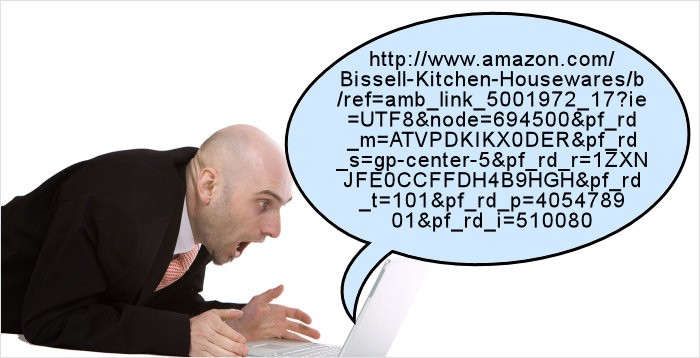
A client recently called me to ask how he could put shortened versions of links to specific web pages into documents.
His specific problem was this. Some of the pages on his website had links (URLs) that a contained many characters. For example http://www.examplesite.co.uk/index.php/team-building-a-activities-for-groups/activities-for-groups. Occasionally he needs to respond to client inquiries and direct them to pages with URLs such as this. He wanted to know how he could use a shortened version of such a link to make his reply document look tidier.
One obvious was was to use tinyURL to provide a shorter version but, whilst this results in a URL that is much shorter, it still doesn’t look the neatest.
A much neater and simpler way is to use a word or phrase and embed the link behind it. So, using the example above you could write “activities for groups” and then embed the link so that when clicked it will take the user to the specific web page.
Here’s how to do that in Microsoft Word.
- Copy the entire URL string from the address bar of your web browser using Ctrl/c. (see here for more about keyboard shortcuts)

- Write the phrase “activities for groups” in your document.
- Highlight the phrase.
- Click Insert in the top menu and then Hyperlink at the bottom of the drop down menu.
- This will open up a dialogue box,
- In the address line at the bottom of the dialogue box place you cursor and type Ctrl/v to paste the URL string.
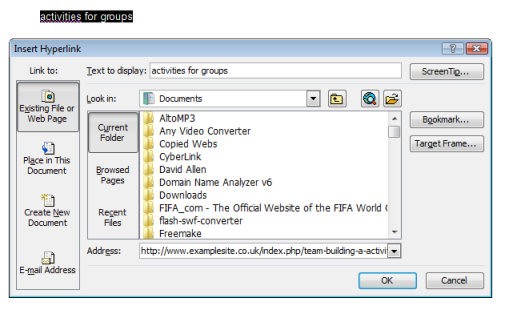
- Click OK to close the dialog box and you now have the phrase “activities for groups” which when clicked will redirect to to the page http://www.examplesite.co.uk/index.php/team-building-a-activities-for-groups/activities-for-groups.
You may also want to read these blog posts:
Ten Essential Computer Tips to Save You Time and Money
Ten Computer Shortcuts To Make You More Efficient